Staff pay report
Per-visit pay rules and export for walker payroll
Dog walking teams often pay walkers a cut of each visit, not a fixed salary. PetWalkly calculates staff pay from completed visits using rules you set once, then exports a report for your payroll run.
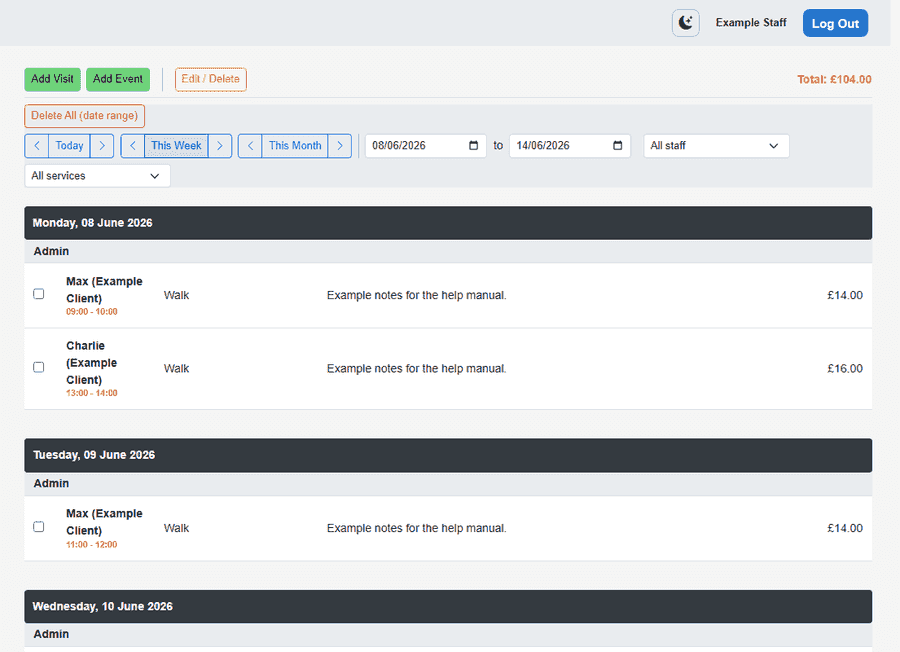
When staff pay tracking is on, walkers can see their pay share on the schedule instead of the client price — invoicing always uses client prices.
Override rules per staff member when someone earns a different rate without changing client billing.
Set rules once
- Enable staff pay in company billing settings
- Choose default flat amount or percent of the client visit price
- Pick equal split or weighted split when two staff share a visit
- Staff profiles can override defaults for senior walkers or trainees
What staff see
- Non-admin staff see their pay share on the schedule instead of client totals
- Visit cancellation fee labels reflect what was actually charged
- Mobile schedule respects the same display rules as web
- Invoicing and client portal always use client-facing prices
Payroll export
- Run staff pay report from admin for a date range
- Filter by staff member when you pay individuals separately
- Export for your accountant or to paste into payroll software
- Uses completed visits already in PetWalkly — no duplicate timesheet
Explore more
- Team & time off — Staff permissions, leave requests, and scheduling that respects approved absence
- Scheduling — Visits, daycare, and boarding in one calendar
- Expenses, mileage & reports — Receipt OCR, visit-based mileage, and financial reports — not just client billing
- Mobile apps — Same schedule on iOS and Android